

The Pools Casino App Download and Login Guide for Players
The mobile experience for The Pools Casino App is usually the first thing players check when they want faster access on a phone. This guide explains how the download, login, and compatibility steps normally work, so you can avoid common installation mistakes. It also shows what to look for if the app opens in a browser-style layout instead of a store listing. That matters because the right setup can save time every time you want to play.
If you are comparing The Pools Casino App Download and login options, the key is to match the installation method to your device. Android and iPhone handle mobile gaming differently, and not every operator uses a native app. Here you will find practical advice on safe downloading, account sign-in, and app features that make mobile play smoother. The goal is simple: help you use Thepoolscasino App with fewer surprises.
How to Download The Pools Casino App Safely on Mobile
On mobile, download problems usually start when the file comes from the wrong source or the phone blocks an unfamiliar installer. With The Pools Casino App Download, the safest approach is to begin from the operator's own mobile page and then check what kind of install your device actually supports. Some Android phones can handle an app file, while some iPhones work better through a browser shortcut or web app. That is why the source matters as much as the file itself.
Where should the app file come from?
The safest path for Thepoolscasino App Download is the official mobile route offered by the brand, not a copied file from social media or a random message thread. If the site gives you an app file, read the file name and any publisher details before you open it. A legitimate installer usually keeps the branding simple and consistent. If something looks abbreviated, misspelled, or oddly renamed, pause before continuing.
When The Pools Casino App is presented as a browser-based shortcut rather than a store app, the same rule still applies: start from the official entry point and avoid third-party mirrors. That helps you avoid fake installers that try to copy the real login screen. It also reduces the chance of granting permissions to something unrelated. In practice, the safest download is the one that matches the device instructions exactly.
How can you check the installer is safe?
Before opening Thepoolscasino App, check whether your phone is warning you about the file source, missing permissions, or an unknown developer label. Those warnings do not always mean danger, but they do mean you should slow down and verify the source again. A safe installer should not demand unrelated permissions just to open a lobby or display account pages. If it wants access to things that do not make sense, treat that as a red flag.
It also helps to compare the size and appearance of The Pools Casino App Download against the version described on the official page. Sudden changes in file name, icon style, or installation flow often point to a bad copy. If the process looks different from what you expected, close it and start again from the original source. That small reset is usually faster than fixing a suspicious install later.
A clean mobile install for The Pools Casino App usually follows a simple sequence, and that sequence is the easiest way to avoid mistakes.
- Open the official mobile page for The Pools Casino App Download rather than a forwarded link or copied file.
- Check whether your phone wants an APK on Android or a browser shortcut on iPhone before you tap anything.
- Review the requested permissions and make sure they match a normal gaming app setup for Thepoolscasino App.
- Allow the install only after the file name, icon, and publisher details look consistent with the brand.
- Open The Pools Casino App once, test the lobby, and confirm that the menus load correctly before you sign in.
If any step feels off, return to the start instead of forcing the install. A careful pass through Thepoolscasino App Download is usually quicker than undoing a bad one.
The Pools Casino Login App Access and Account Sign-In Steps
Login trouble on mobile often comes from a stale session, saved credentials, or an outdated browser view rather than the account itself. With The Pools Casino Login App, the first fix is usually to start with a fresh sign-in screen and type the details again instead of relying on old autofill data. The same habit helps with Thepoolscasino Login App if the page was updated since your last visit. In most cases, a clean entry solves more problems than a password reset.
What should you enter first on the login screen?
The first thing to check in The Pools Casino Login App is whether your username or email is being entered exactly as it was registered. Small things like caps lock, saved spaces, or an old password manager entry can block access without giving a useful error message. If you type the details manually once, you can rule out most autofill mistakes. That simple check saves time before you start changing account settings.
If the screen still fails, try entering the same details in a fresh browser session and compare the result with Thepoolscasino App. Sometimes the mobile app shell keeps an outdated token while the browser path accepts a new login. That tells you the issue is technical rather than account-related. When the results differ, clearing the old session is usually the next sensible move.
Why does the sign-in page keep redirecting?
Redirect loops in Thepoolscasino Login App often happen when cookies, cache, or saved session data conflict with the current login page. The fastest fix is usually to close the app, reopen it, and start from a clean sign-in route instead of backing through old screens. A weak connection can create the same effect if the page keeps reloading before it finishes. Switching networks or refreshing the session can make the problem disappear.
If you are using The Pools Casino App, check whether the login screen is loading inside a browser tab, an in-app web view, or a shortcut saved on your phone. Each one can store data differently, so one route may work while another keeps looping. Updating the shortcut or clearing the app's temporary data can reset the flow. That is often enough to get the sign-in page behaving normally again.
What if you forgot your password or cannot verify the account?
If you cannot get into The Pools Casino App, use the password reset or account recovery step before trying repeated logins. Repeated failed attempts can make it harder to see whether the issue is the password, the inbox, or the verification method. Check your spam folder as well, because reset messages are sometimes filtered there. Keeping the recovery process calm and deliberate usually works better than rushing through it.
When Thepoolscasino App asks for extra verification, follow the message exactly as written and avoid mixing old and new credentials. If the email or phone number on file is no longer available, support may need to confirm your identity another way. That is normal for mobile account recovery and not a sign that the app is broken. The key is to match the recovery path to the details already linked to your account.
Thepoolscasino App Features for Faster Casino Gameplay on Mobile

The real advantage of a mobile lobby is not just speed, but how quickly you can move from opening the app to finding a game you actually want. In Thepoolscasino App, the features that matter most are usually the ones that shorten taps, reduce menu hunting, and keep your last activity easy to reach. If The Pools Casino App behaves well on a small screen, it should feel organized rather than crowded. That is what makes mobile gameplay feel smoother on a daily basis.
Which features actually save time on a phone?
The most useful mobile features in The Pools Casino App are usually the ones that cut out repeated steps, like quick lobby access, recent-game shortcuts, and simpler menu paths. If you play from a phone while commuting or multitasking, every saved tap matters more than flashy design. A good interface lets you see your options without zooming around the screen. That is why layout design is just as important as the games themselves.
For players using Thepoolscasino App, saved favourites and last-played lists can matter more than a long game catalogue. They make it easier to return to a table or slot without scrolling through the whole lobby again. Small features like that may seem minor, but they noticeably reduce friction on mobile. Over time, that makes the app feel faster even if your internet speed stays the same.
How do notifications and saved sessions help?
Notifications in The Pools Casino App Download can be useful when they point you toward time-sensitive offers, account messages, or maintenance notices before you log in. The trick is keeping them relevant, so you do not miss something important in a flood of generic alerts. If the app lets you manage notification types, that control is worth using. It keeps the mobile experience organised rather than noisy.
Saved sessions also matter in Thepoolscasino Login App because they reduce repeated sign-in steps when you are checking the lobby quickly. A smooth return to the app means fewer interruptions, especially if you only have a few minutes. If the session is too old, of course, you should sign in again for security. The balance is convenience first, but never at the expense of account protection.
These are the mobile features that usually make The Pools Casino App feel faster and easier to use on an everyday basis.
- Shorter lobby paths that help you find games quickly in Thepoolscasino App.
- Recent-game shortcuts that reduce scrolling after you reopen The Pools Casino App.
- Notification settings that keep offers and account messages visible in The Pools Casino App Download.
- Saved session access that can make Thepoolscasino Login App feel less repetitive on trusted devices.
If the interface lets you get back to the same screen in fewer taps, that is usually a good sign. A well-built The Pools Casino App should feel lighter on mobile without hiding the core controls.
Thepoolscasino App Download Compatibility for Android and iPhone
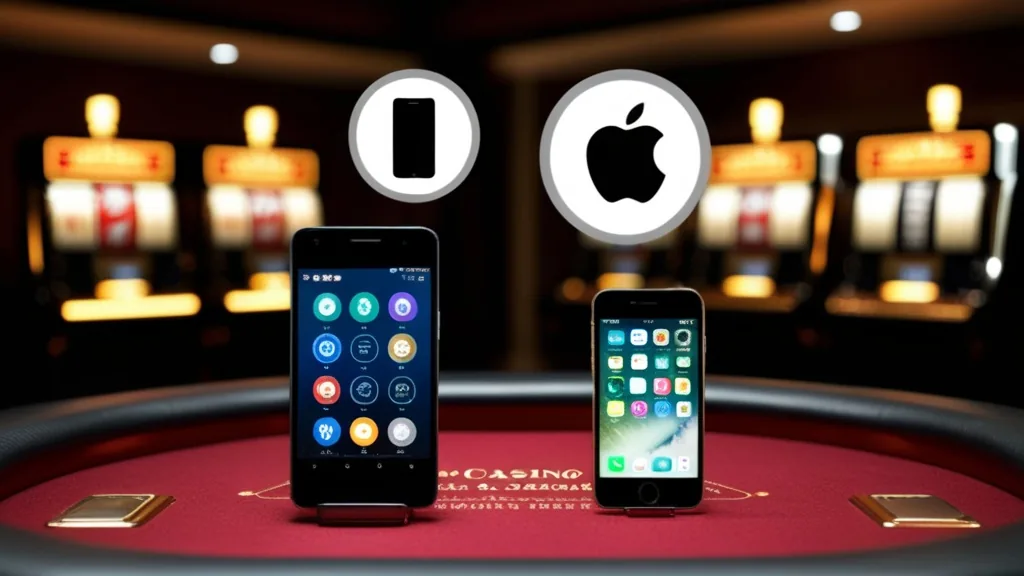
Android and iPhone installs rarely fail for the same reason because each system handles permissions, file types, and browser shortcuts differently. With Thepoolscasino App Download, the most important question is not just whether the app exists, but which installation method matches your phone. Some devices are happier with a direct file, while others prefer a web app or saved shortcut. Knowing that difference prevents a lot of trial and error.
What should Android users check first?
Android users looking at The Pools Casino App Download should first confirm whether the phone allows app installs from the source being used. If the system blocks the file, the issue may be a permissions setting rather than the app itself. It also helps to check storage space, because low space can make the install fail halfway through. A clean Android install usually starts with those basics.
If Thepoolscasino App is delivered as an APK, review the prompt carefully before granting any permissions. Android often gives you more control, but that also means you have to be more deliberate about what you allow. Keeping the installer from a known source and checking the package details is the safest approach. That is the easiest way to separate a proper install from an unsafe copy.
What should iPhone users check first?
iPhone users usually need to think in terms of browser shortcuts or web-based access when exploring The Pools Casino App. Apple devices are more restrictive about direct app files, so the installation route can look different from Android. That does not mean the mobile experience is worse; it just means the access method is usually lighter. If the brand uses a web app style, that may be the expected path.
When Thepoolscasino Login App opens on an iPhone, check whether Safari is updated and whether the shortcut was saved correctly to the home screen. A stale browser session can make the login page act strangely even when the account details are fine. If you clear the old version and reopen it from a fresh route, the app may work more smoothly. That small reset often solves the most common iPhone issues.
| Device | Typical access route | What to check before installing |
|---|---|---|
| Android phone | APK or browser shortcut | Unknown sources setting, storage space, file source, permission prompts |
| iPhone | Safari shortcut or web app | Browser updates, home-screen shortcut setup, cached login session |
| Android tablet | APK or responsive browser view | Screen layout, orientation support, enough memory for smooth loading |
| iPad | Browser-based access or saved shortcut | Safari stability, session length, touch-friendly layout |
| Desktop browser | Web login only | Current browser version, saved cookies, pop-up settings |
Using The Pools Casino App for Smooth Promotions and Support
Promotions and support become much easier to manage when the mobile screen shows your account messages, offer history, and help options in one place. With The Pools Casino App, players often save time by checking updates from the same device they use to play. That matters because bonus terms and support replies can move quickly, especially during busy periods. A well-organised mobile account area makes those tasks much less awkward.
How do you find offers without missing the terms?
The easiest way to track offers in The Pools Casino App Download is to read each promotion as soon as it appears and check the rules before you act on it. Mobile screens can hide terms behind small links, so it helps to slow down rather than tapping too quickly. If the offer uses wagering or time limits, those details matter more than the headline itself. That habit protects you from simple misunderstandings.
In Thepoolscasino App, you should also check whether the promotion applies to a specific game type, payment method, or time window. Mobile alerts are useful, but they are not a substitute for reading the fine print. If the terms are not clear on the screen, open the full promotion page and review it carefully. A minute of checking now can prevent a lot of confusion later.
When should you use support from the app?
Support inside The Pools Casino Login App is most helpful when the issue is tied to your account, your balance display, or a feature that only fails on mobile. If the app includes chat or message tools, that route is often faster than switching devices and trying to explain the same problem twice. You can usually describe the screen you are seeing while it is still open. That gives support a better starting point.
When Thepoolscasino Login App does not work as expected, keep a note of the time, device type, and exact error message before you contact help. Those details are often enough for support to narrow the problem quickly. If the issue is a failed promotion claim, account lock, or repeated login prompt, screenshots can help as well. Clear information makes the support process move more smoothly.